A window-cleaning robot can take over the repetitive wiping that makes a large window such a chore. For someone with reduced mobility, though, the real question comes before cleaning starts: can you prepare, place, control, and retrieve it comfortably? We would choose around that whole routine. Here is how to organize the setup, match the machine to your glass, and recognize when help belongs in the plan.
Can you install a window cleaning robot without reaching or losing your balance?
Fingerprints on the sliding glass door are annoying. Having to stretch across a chair to remove them is a different problem. A robot can handle the wiping, but someone still has to prepare its cloth, fill its reservoir, connect its power supply, place it against the glass, and retrieve it afterward. Independence depends on that complete sequence. An app cannot make an awkward placement comfortable.
Start with the window you actually want to clean. From your usual seated or standing position, identify a section of glass you can reach without leaning beyond your comfortable balance. Leave room for your hand and forearm. A deep sill, furniture, or a sliding door track can turn a seemingly accessible pane into a difficult transfer. If placement requires a stepladder, treat that as a reason to arrange assistance.
Next, walk through the routine without holding the robot. Where will the preparation happen? Where will the controller sit? Can you reach the power connection? Can you return to the glass promptly if cleaning stops? For a wheelchair user, the approach matters as much as the height: reaching sideways around an armrest may be less manageable than approaching the same pane directly.
Weight deserves particular attention when lifting and holding are difficult. The the W2S OMNI’s weight and controls include a robot weight of 1,95 kg. That is a load you must support while positioning it, not merely a figure to consider while carrying it across the room. Assess the movement against your own lifting limits, including the effort of keeping your arm extended.
Also consider how your mobility changes through the day. A movement that feels manageable before breakfast may become difficult when your shoulders are tired. Schedule preparation and attachment for a time when you usually have more strength, and keep assistance available if your grip varies. The routine should accommodate you, rather than demanding the same effort every session.
We would make an accessible indoor pane the starting point for organizing the routine. Keep a stable preparation surface nearby, clear the approach, and decide who handles placement if your grip or balance varies from day to day. Needing help with attachment does not erase the benefit of automated wiping. It simply puts the help where it matters, instead of expecting a robot to solve every part of the chore.
Match the robot to your framed living room window before arranging the setup
A large living room window and an unframed mirror may look like similar cleaning jobs. Their compatibility requirements are different. Before thinking about suction or cleaning modes, match the robot to the frame and the side of the glass you want cleaned. A convenient control method cannot compensate for choosing the wrong surface. This is especially important when correcting the setup would mean another difficult lift.
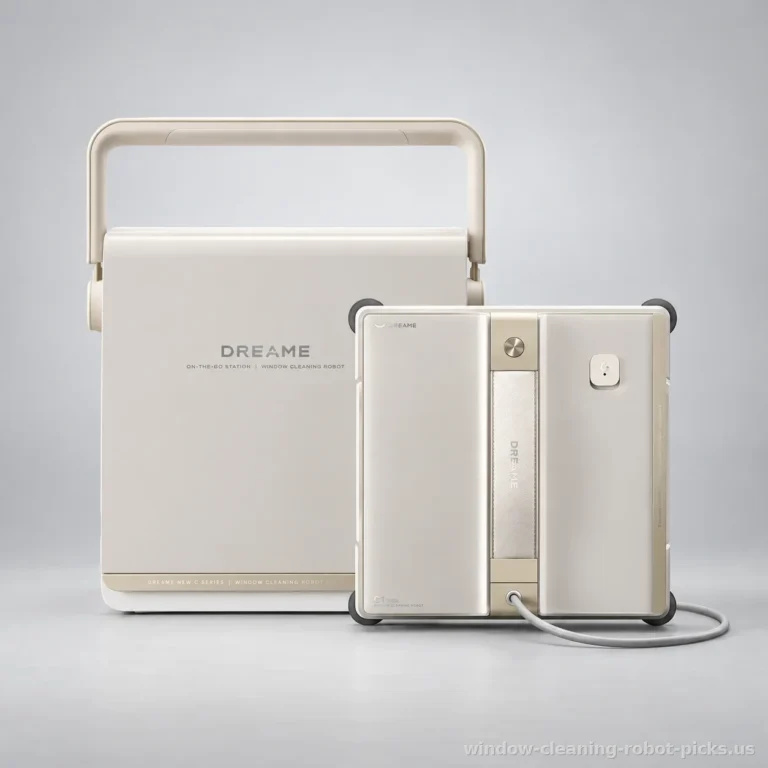
The Dreame C1 Station S Kit supports framed windows and indoor cleaning. Mirrors and tile are also supported surfaces. Its cleaning modes include Deep cleaning, Quick, and Edges, and it uses automatic spraying. We like that combination for an indoor routine with different cleaning needs, provided the placement and retrieval movements work for the person using it. Avoid it if exterior glass is the main job you want to hand over.
For frameless windows, the Ecovacs WINBOT W2S OMNI for frameless glass has verified compatibility, along with support for mirrors. It offers automatic spraying, app control, and a Quick mode. It is also restricted to indoor use. An accessible bathroom mirror can therefore belong in the plan, while the outside face of your sunroom glass needs a different arrangement.
The Lubluelu CHYW201 with remote control supports framed windows and outdoor cleaning, with mirrors among its compatible surfaces. It uses a remote control and dual spray. The Ecovacs WINBOT MINI with app control also supports framed windows and outdoor cleaning, with mirror compatibility and automatic spraying. For someone with limited hand movement, the choice between a physical remote and an app should follow the controls they already manage comfortably.
Think about the person using those controls, too. Can they comfortably hold their phone, read the screen, and select the command they need? Would a remote be easier to keep beside their chair? Set up the chosen control before attaching the robot, so the first cleaning session does not begin with a tiring search through menus.
Suction pressure should not dominate this decision. The W2S OMNI sits at the upper end of this group at 8000 Pa. The CHYW201 sits at the lower end at 6500 Pa. These advertised figures are close enough that suction does little to separate the choices. Frame compatibility, indoor or outdoor use, and manageable controls are more useful filters for this particular purchase.
Prepare the power and safety tether before placing the window cleaning robot
Put the robot, prepared cloths, cleaning supplies, and controller on a stable surface within comfortable reach. Follow the manufacturer’s instructions for fitting the cloth and filling the reservoir. Do this before attachment, when you can work without supporting the machine against the window. Keep supplies out of the approach you will use to return to the glass. A clear path is part of the setup, not a housekeeping bonus.
Then organize the power supply. The Dreame C1 Station S Kit receives power from its station’s battery through a cable, with a battery-powered cleaning runtime of 60 min. That describes the cleaning session powered by the station. Position the station where its cable can serve the window without crossing your transfer area or pulling across the place where you sit.
The Ecovacs WINBOT W2S OMNI also receives power from a station battery through a cable. The Lubluelu CHYW201 and Ecovacs WINBOT MINI use mains power. For those outlet-powered models, arrange the cable before bringing the robot to the glass. If your setup requires an extension cord, include it in the preparation and follow the manufacturer’s electrical instructions. Avoid a route that catches a wheelchair wheel, walker, or foot.
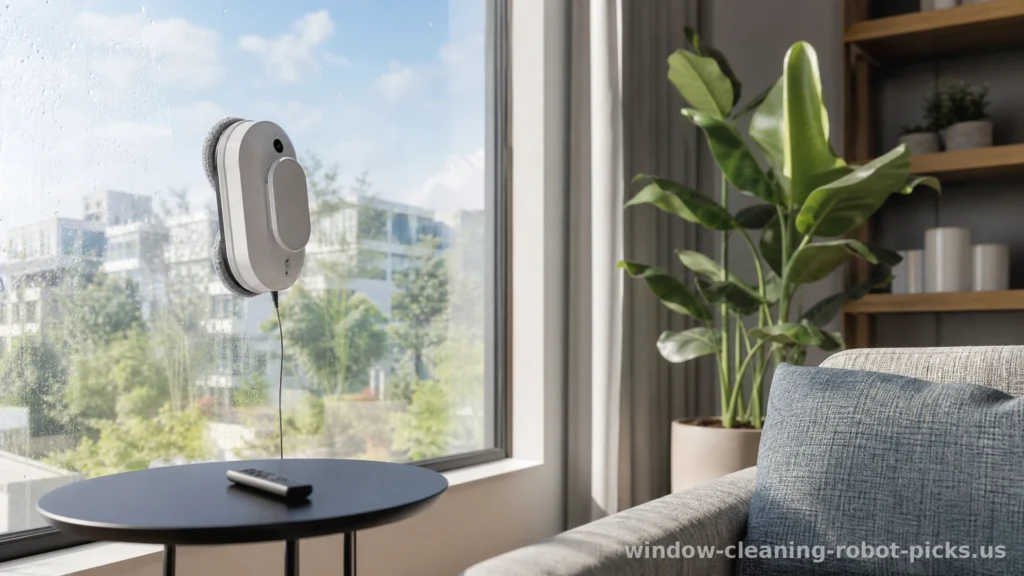
Keep the connection accessible after setup. A plug hidden behind a heavy sofa turns a small interruption into another physical task. Position the controller somewhere equally convenient, rather than on the sill beside the moving robot. You should be able to reach your controls without repeating the stretch you wanted to avoid.
As manufacturers’ manuals instruct, attach the safety tether to a fixed anchor point, especially on an upstairs exterior window, and stay nearby during cleaning. The station-powered models here have a safety rope among their verified features. Make tether attachment a separate step rather than trying to manage the anchor, cable, and robot while holding everything together. If you cannot reach the anchor comfortably, arrange help before placement.
For the outlet-powered models, understand the backup correctly. The backup battery is intended to keep it attached to the glass during a power outage; it does not let it clean without power. The backup battery and safety tether are advertised safeguards, never a guarantee. Once preparation is complete, follow the manufacturer’s attachment and starting sequence. Do not improvise a faster sequence because holding the robot is tiring; change who handles placement instead.
For large picture windows, fewer refills can matter more than stronger suction
When bending, gripping a bottle, or moving between a table and the window takes effort, refilling is more than an interruption. It repeats the part of the routine you wanted to reduce. That makes reservoir capacity unusually relevant for someone with reduced mobility. A broad picture window asks you to think beyond the start button: how much preparation will the cleaning session bring back into your lap?
The Lubluelu CHYW201 for large windows has a reservoir capacity of 160 ml, the largest among these choices. Its larger tank makes it better suited to extensive picture windows and allows more time between refills. We like that practical advantage. Its drawback is equally practical: mains power makes cable routing part of every setup. A generous reservoir does not simplify the route from the outlet to the glass.
The Ecovacs WINBOT MINI has the smallest reservoir in this group at 60 ml. The capacity gap is substantial enough to influence the choice for extensive glass. The Dreame C1 Station S Kit has a typical-size reservoir of 80 ml. The Ecovacs WINBOT W2S OMNI also has a typical-size reservoir of 80 ml. For a large-window priority, we would give tank capacity more weight than small differences in advertised suction.
Automatic spraying on the station-powered options and the MINI, or dual spray on the CHYW201, belongs in the cleaning routine. It does not remove reservoir preparation or cloth care. Keep replacement cloths or pads somewhere you can reach without crouching. Plan cloth changes before starting, especially if the glass has visible buildup. Cleaning results depend on the dirt, cleaning solution, and cloth; a robot is not a promise of a particular finish.
Include the end of the session in your preparation. Leave space on the nearby table for the retrieved robot and used cloths. Keep the supplies needed for cloth care within reach, following the maker’s instructions. Otherwise, the automated part ends just as an awkward carrying job begins. A useful setup makes putting everything away manageable, too.
Divide a sunroom into manageable sessions instead of treating every panel as a single obligation. Each separate pane brings another placement and retrieval. If repeated lifting is the difficult part, a helper handling transfers may matter more than any cleaning mode. The robot can take over the wiping while you keep the schedule humane. The windows do not need a marathon, and neither do your shoulders.
Plan robot retrieval before cleaning an upstairs exterior window
The moment to think about retrieval is before attachment. An upstairs exterior window may require leaning through an opening, reaching around a frame, or handling the robot away from your normal seated position. If any of those movements exceed your comfortable reach, assign placement and removal to someone who can manage them. Do not turn automated cleaning into a reason to attempt an awkward transfer.
For exterior work, use a model with verified outdoor compatibility and follow its manufacturer’s instructions. Manufacturers’ manuals advise against cleaning exterior windows in the rain. Keep the fixed-anchor tether instruction and nearby supervision central to the routine. The robot working across the glass is only part of the job; someone must remain able to respond and retrieve it.
The Ecovacs WINBOT MINI backup duration is the highest in the selection at 30 min. The Lubluelu CHYW201 provides a longer-than-average backup duration of 30 min. Their figures are close, so backup holding time does not meaningfully separate this pair. Both suit buyers who prioritize a longer backup duration, but that reserve does not change the need for an accessible response plan.
Agree on a simple stopping rule before starting. If you become fatigued, a cable catches in the approach, the power supply is interrupted, or reaching the robot would require an unstable position, follow the manufacturer’s stopping and retrieval instructions and get assistance. Avoid grabbing at a running machine or tugging its cable as a shortcut. A cleaning session can wait; an awkward reach should not become the routine.
If a helper handles exterior attachment, agree that they will also handle removal and remain nearby during cleaning. Do not leave retrieval as a favor to arrange later. This matters particularly when the person operating the app can start a cycle comfortably but cannot physically reach the machine. Remote operation and independent handling are separate questions.
Before buying, review the included tether and any extension cord, replacement cloth availability, warranty, customer support, and return policy. These details affect how you maintain the routine when a pad needs replacing or a control becomes difficult to manage. We would favor a setup with clear support arrangements and accessible consumables over extra functions you will rarely use. For reduced mobility, the strongest recommendation is the machine whose preparation, controls, and retrieval fit your home and your movements. That is what makes the help usable after the novelty wears off.
Frequently asked questions
Can someone use a window-cleaning robot from a wheelchair?
Yes, if preparation, attachment, controls, and retrieval are all within comfortable reach. A deep sill or sideways approach can complicate placement. Choose app or remote control around your usual hand movements, and arrange help for any transfer that requires leaning or lifting beyond your limits.
Which model makes more sense for large picture windows?
The Lubluelu CHYW201 is better suited to large picture windows because its reservoir holds 160 ml, allowing more time between refills. It supports framed windows and outdoor cleaning. Its mains power supply means you must organize the cable route for each session.
Does a backup battery let the robot clean after an outage?
The backup battery is intended to keep it attached to the glass during a power outage; it does not let it clean without power. The Ecovacs WINBOT MINI offers the selection’s highest backup holding time at 30 min. Treat that reserve as time to respond, with retrieval already planned.
What should I review before buying for someone with limited grip?
Review weight, the attachment movement, app or remote operation, included tether and extension cord, replacement cloths, warranty, customer support, and return policy. The Ecovacs WINBOT W2S OMNI weighs 1,95 kg; consider supporting that load during placement, not just carrying it.
Was this article helpful?
0% of readers found it useful (0 reviews)